All help articles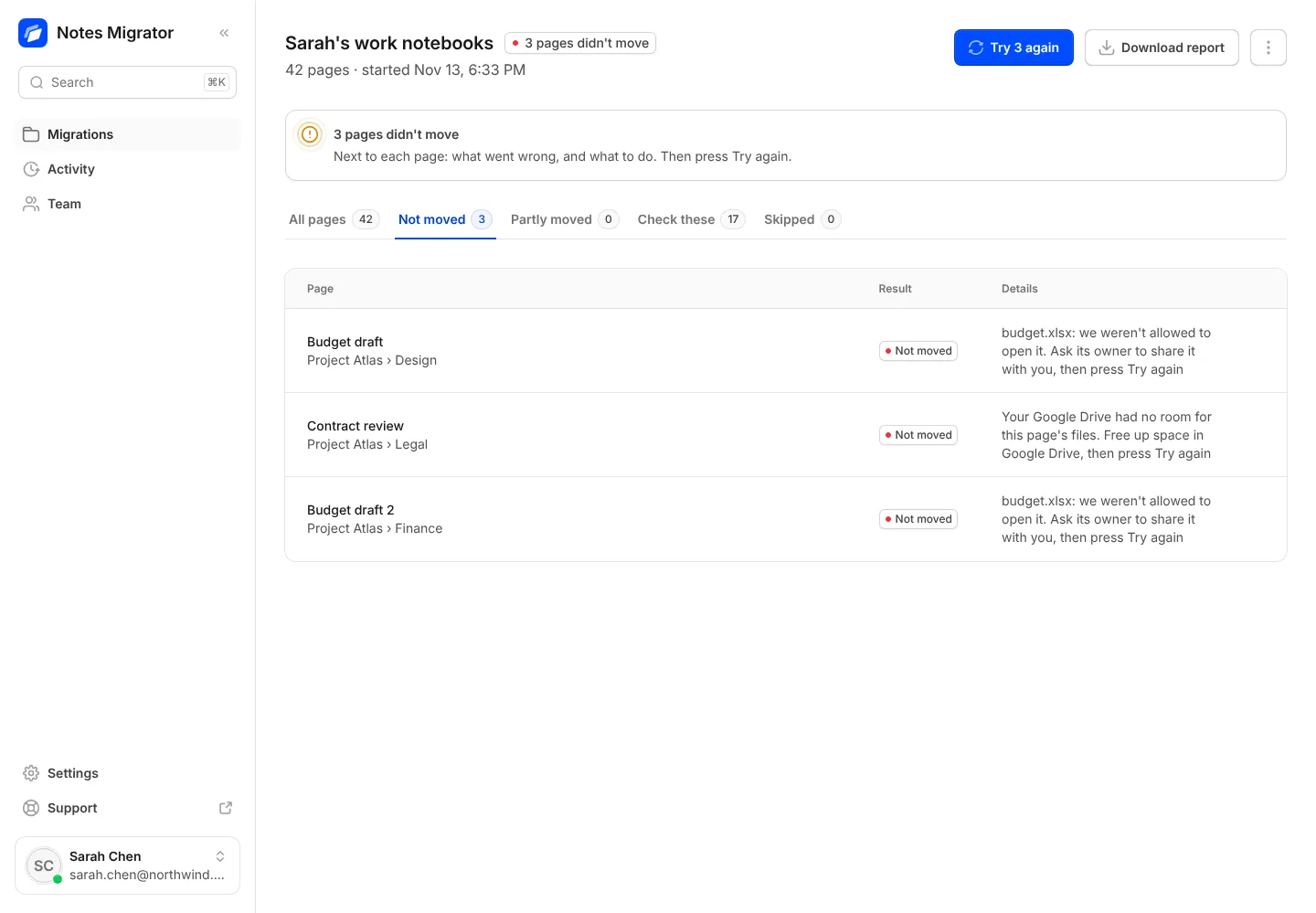
Fixing problems
Try again on pages that didn't move
Find out why a page didn't arrive, and move just those pages again.
- 1
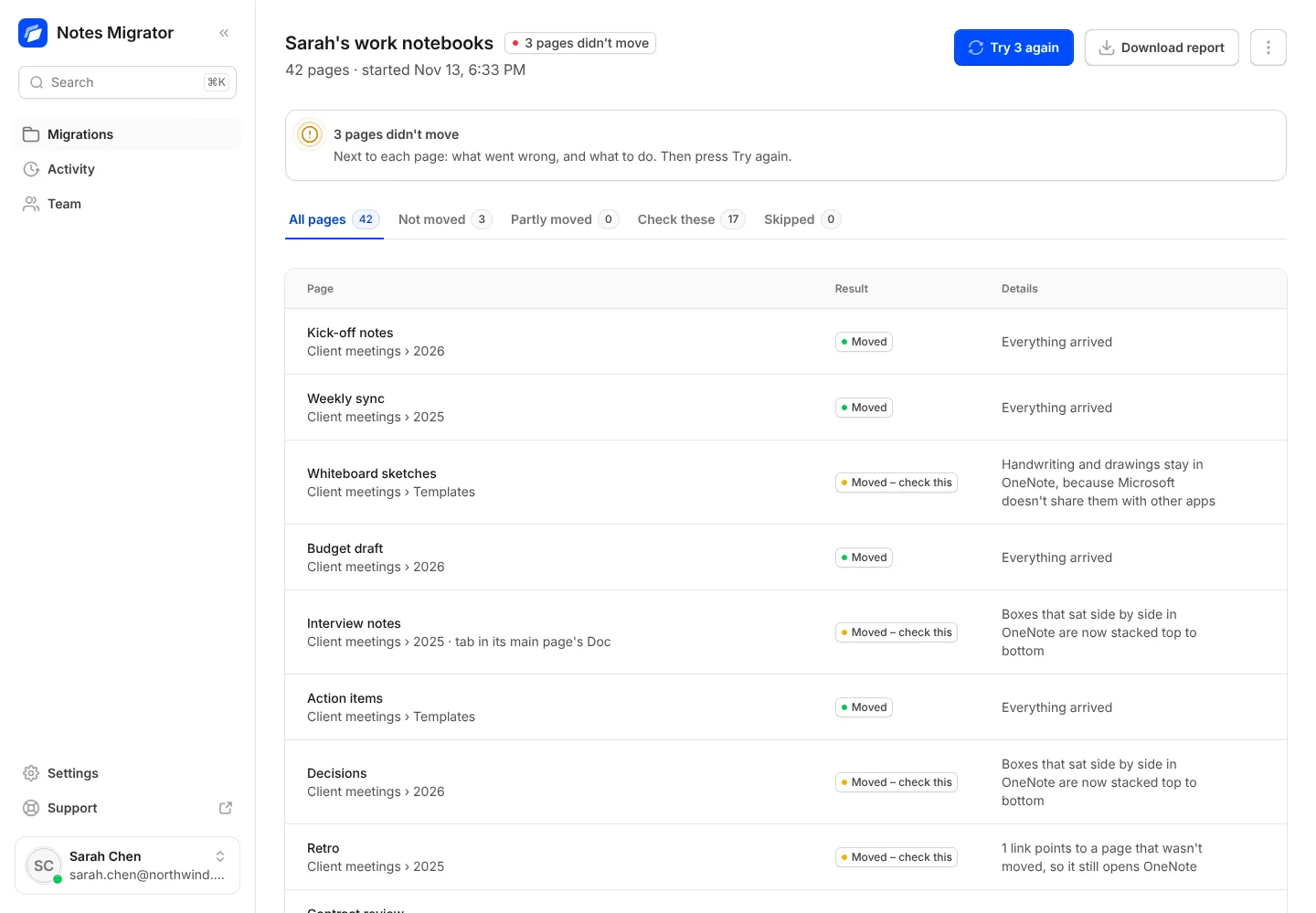
Open the migration. When pages didn’t move, it opens on the Not moved tab, and each page says why and what to do.
- 2
Fix the reason if you can, then press Try again (the button shows how many pages, like Try 3 again). Only those pages move again, and nothing is copied twice.
Bring your OneNote with you to Google
Sign in with Google, connect OneNote, and see how your notebooks will look before anything moves.